Notifications
The Notifications panel is your activity log — a running record of every background action Fairground has taken on your behalf, from saving companies to running bulk operations.
Background tasks in Fairground run asynchronously — meaning you can keep working while Fairground processes your request. The Notifications panel lets you:
Confirm an action completed without waiting on-screen
Catch failures early so you can retry or troubleshoot
Audit recent activity to understand what's been saved or processed
Click the bell icon (Notifications) in the bottom-left corner of the app. A panel will slide open showing all your recent activity.
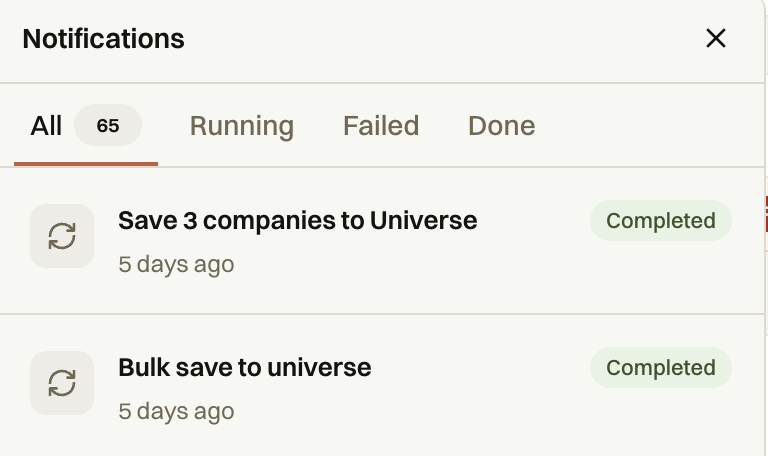
At the top, you'll find four filter tabs:
All — every action, regardless of status (your total count appears here as a badge)
Running — actions currently in progress
Failed — actions that didn't complete successfully
Done — actions that have finished
Each notification shows:
The action name (e.g., "Save 3 companies to Universe", "Bulk save to universe")
When it ran (e.g., "5 days ago")
Its status — Completed, Running, or Failed
Common Examples:
Save X companies to Universe — triggered when you save individual or selected companies to your Universe
Bulk save to universe — triggered when you save a large batch of records at once
Save all companies to Universe — triggered when you save an entire filtered view