
Intent
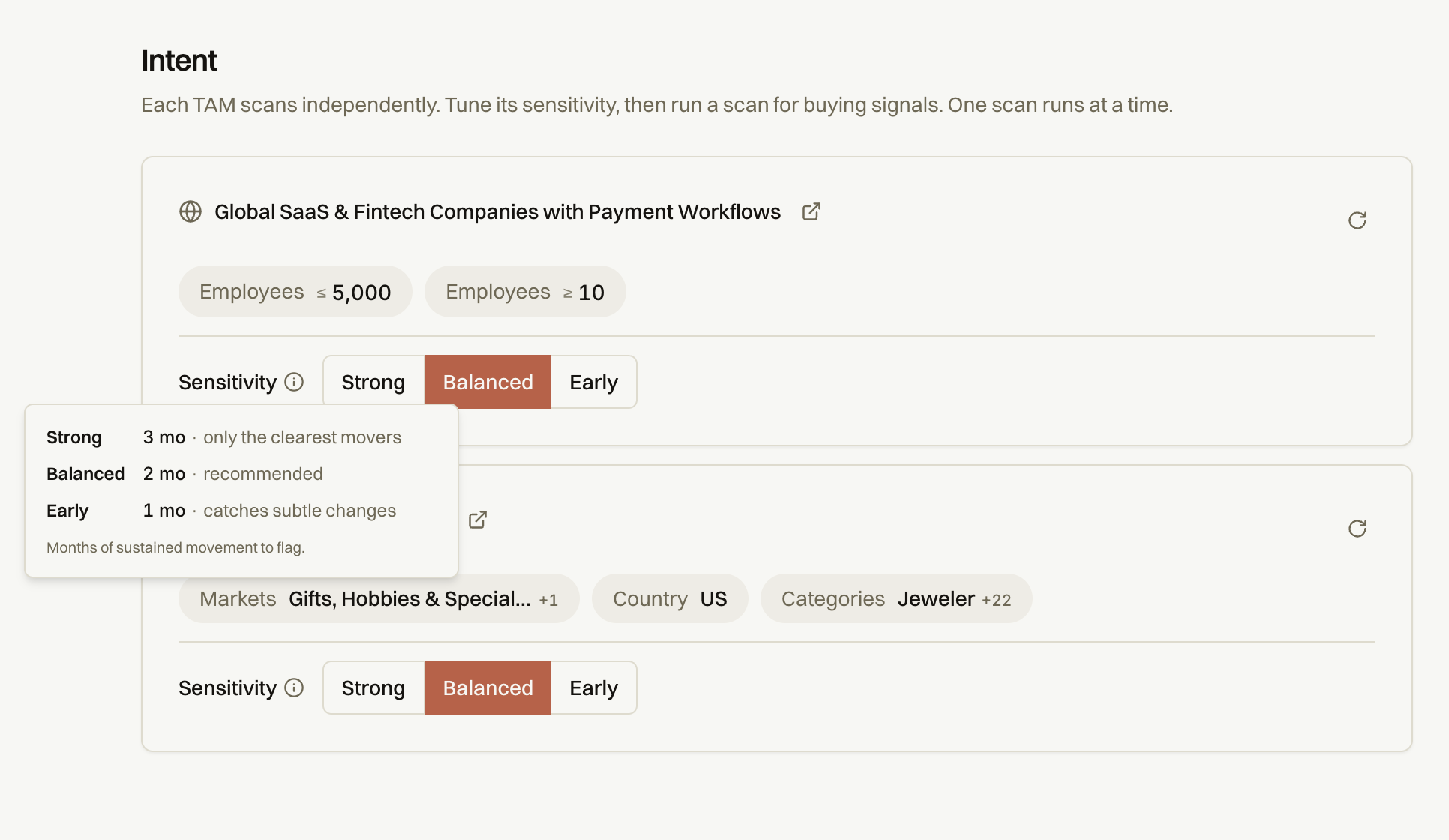
Decide how sensitive the intent scanning your TAMs should be. Go to Settings → Intent and choose how aggressively you want signals to fire. See the Sensitivity section below.
Each card on the Intent Settings page represents one TAM profile. A TAM profile defines the universe of businesses Fairground monitors — the market, geography, company size, and other filters that describe your target segment.
Each card shows:
Profile name — the label you gave this TAM when you created it
Active filters — the market, location, employee count, and other criteria that define the segment
Sensitivity setting — how aggressively signals fire for this TAM (see below)
Rescan button — the circular arrow icon on the right side of each card (see below)
Tip: You can have up to 3 TAM profiles per account. To create a new one, see profiles.
The circular arrow icon (↻) on the right side of each TAM card triggers a manual rescan. Use this when you want fresh signal results without waiting for the nightly automatic run.
Sensitivity
Sensitivity controls how many months of sustained movement Fairground looks for before flagging a business as a signal. A shorter window catches early, subtle changes. A longer window only surfaces businesses with unmistakable momentum.
Setting | Window | What it surfaces | Best for |
|---|---|---|---|
Strong | 3 months | Only the clearest movers — unmistakable, sustained momentum | Teams that want high-confidence signals and can tolerate lower volume |
Balanced | 2 months | A healthy mix — catches meaningful movement without too much noise | Recommended for most teams. Start here. |
Early | 1 month | Catches subtle, early changes before they become obvious | Teams that want to get ahead of the market and prioritize early contact |