
Finding Prospects in Fairground
Prospecting in Fairground
Objective
This article outlines the steps to effectively prospect companies using the Fairground database, ensuring team members can easily find relevant businesses, locations and contacts.
Watch Demo (The interface might slightly differ from current version)
Key Steps
Step 1: Initiate a Query
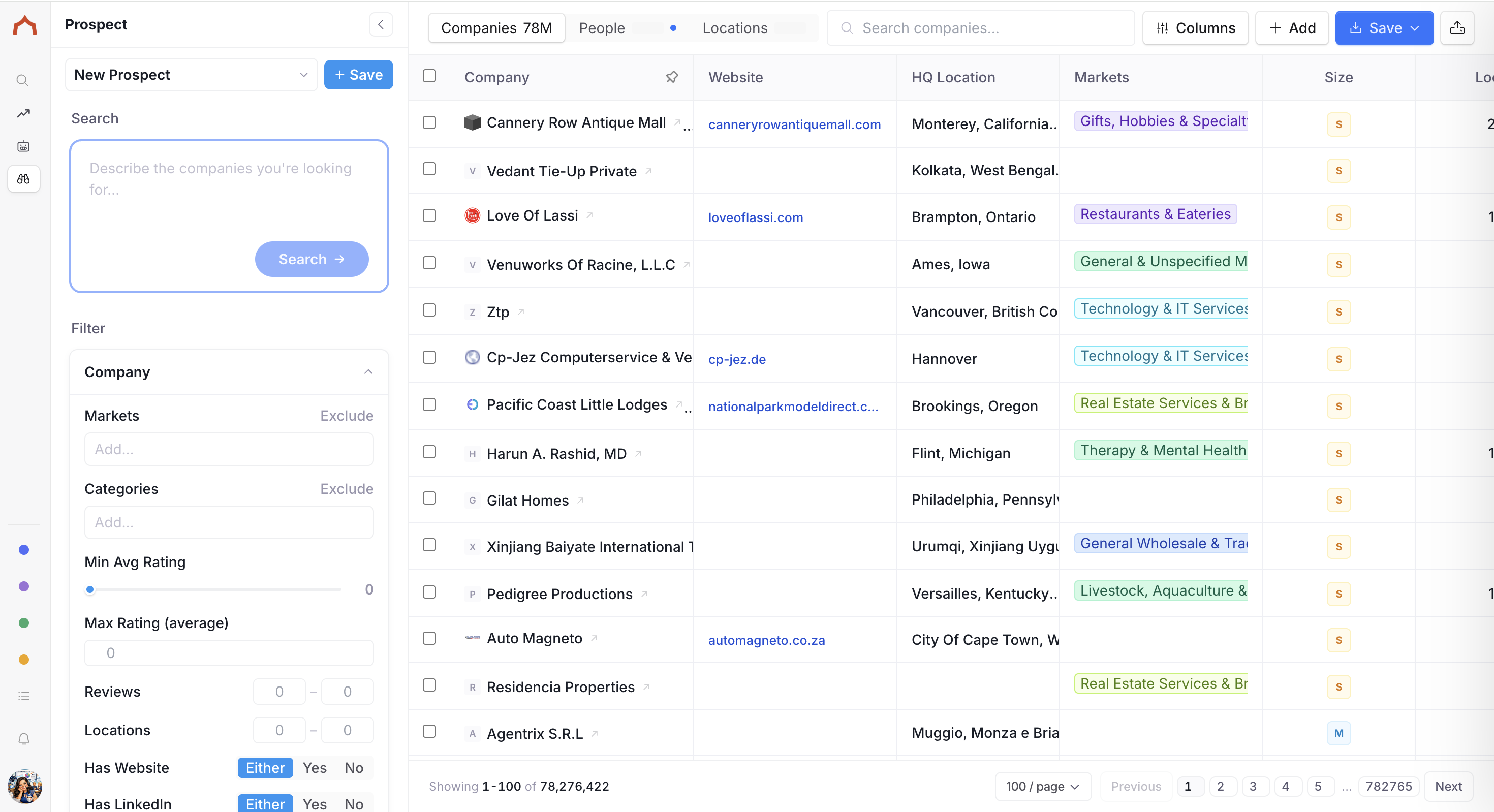
Open the Fairground database and navigate to prospect-> companies (Alternatively people or locations depending on what you want to search for)
Enter a simple query in plain English to describe the type of companies you are looking for (e.g., "HVAC companies in Texas").
Click on the 'Generate' button.
Step 2: Review Automatic Filters
Observe the filters that automatically populate below your query.
Note the categories and filters applied by the system, such as industry type and location.
Check the total number of businesses returned (e.g., 7,282 businesses).
Step 3: Narrow Down Results
If you want to refine your search, toggle on additional filters (e.g., 'has a website').
Watch as the query updates automatically to reflect your new criteria.
Review the new total number of businesses (e.g., 4,553 businesses).
Select Save Filter.
Step 4: Enrich or Export Data
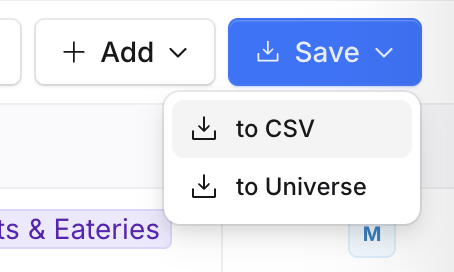
Save the filter by clicking 'save filter'
Either Enrich prospect Data or Save with available options
Tips for Efficiency
Use keywords that are commonly associated with your target industry to improve search accuracy.
Regularly update your search criteria based on the latest market trends to find the most relevant prospects.