
Reveal Contacts
Reveal is Fairground's contact enrichment feature. When you select one or more companies, Reveal looks up the information of people who work there — and brings those contacts directly into your workspace. Contact details are hidden by default; Reveal unlocks them on demand, using credits, so you only pay for the companies you actually want to reach.
Step 1: Go to Prospect → Companies
Find the companies you want to reach. You can filter, search, or work from an existing list.
Step 2: Select the companies you want to reveal
Check the box next to each company (or select all). A toolbar appears at the bottom of the screen showing how many you have selected.
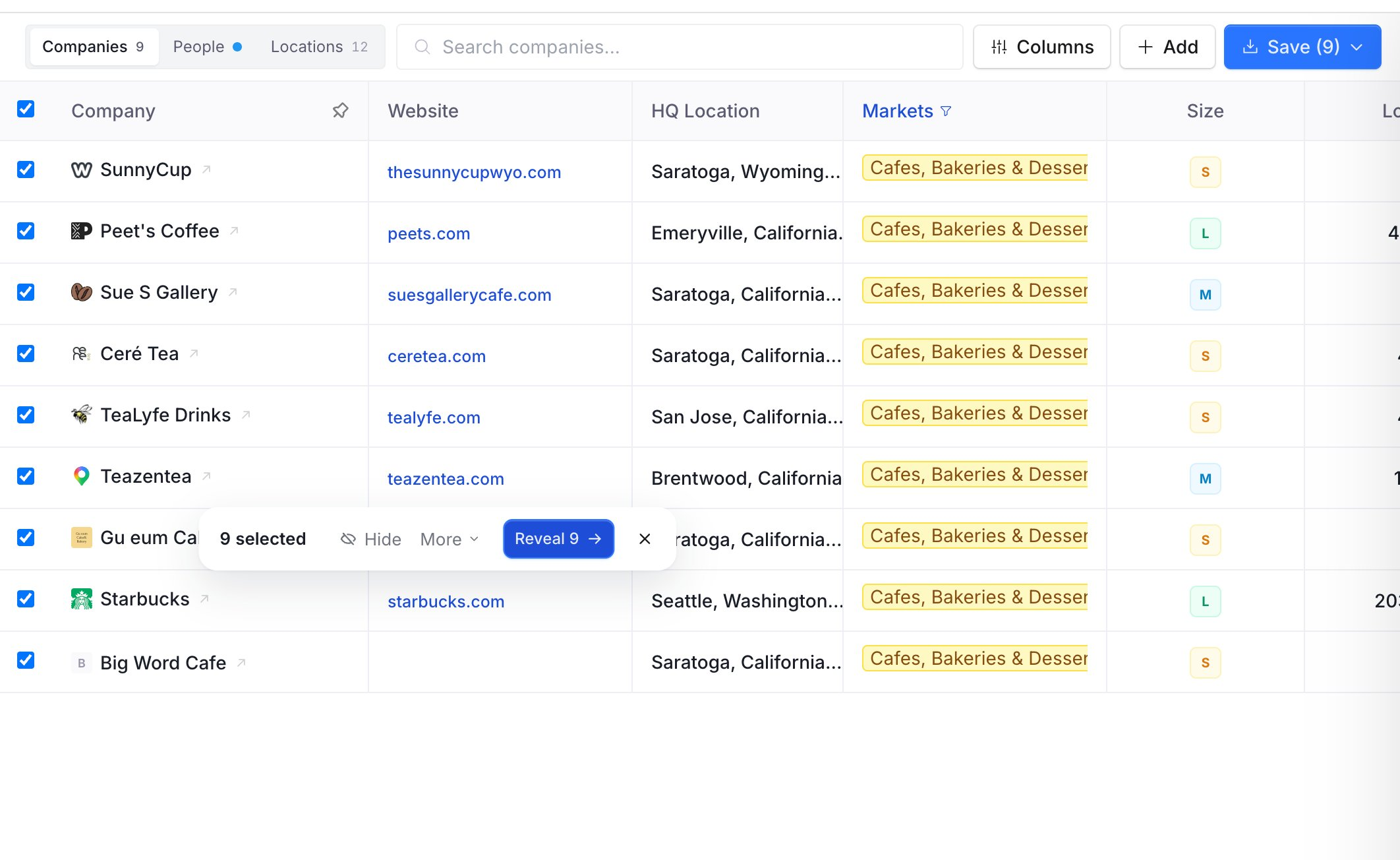
Step 3: Click "Reveal"
Hit the Reveal button in the bottom toolbar. A confirmation modal opens showing:
How many companies will be revealed
The credit cost before you commit
💡 If you don't have enough credits, the modal will tell you before anything is charged. You won't lose credits accidentally.
Step 4: Confirm
Click to confirm. Fairground dispatches the lookups in the background.
Step 5: Switch to the People tab
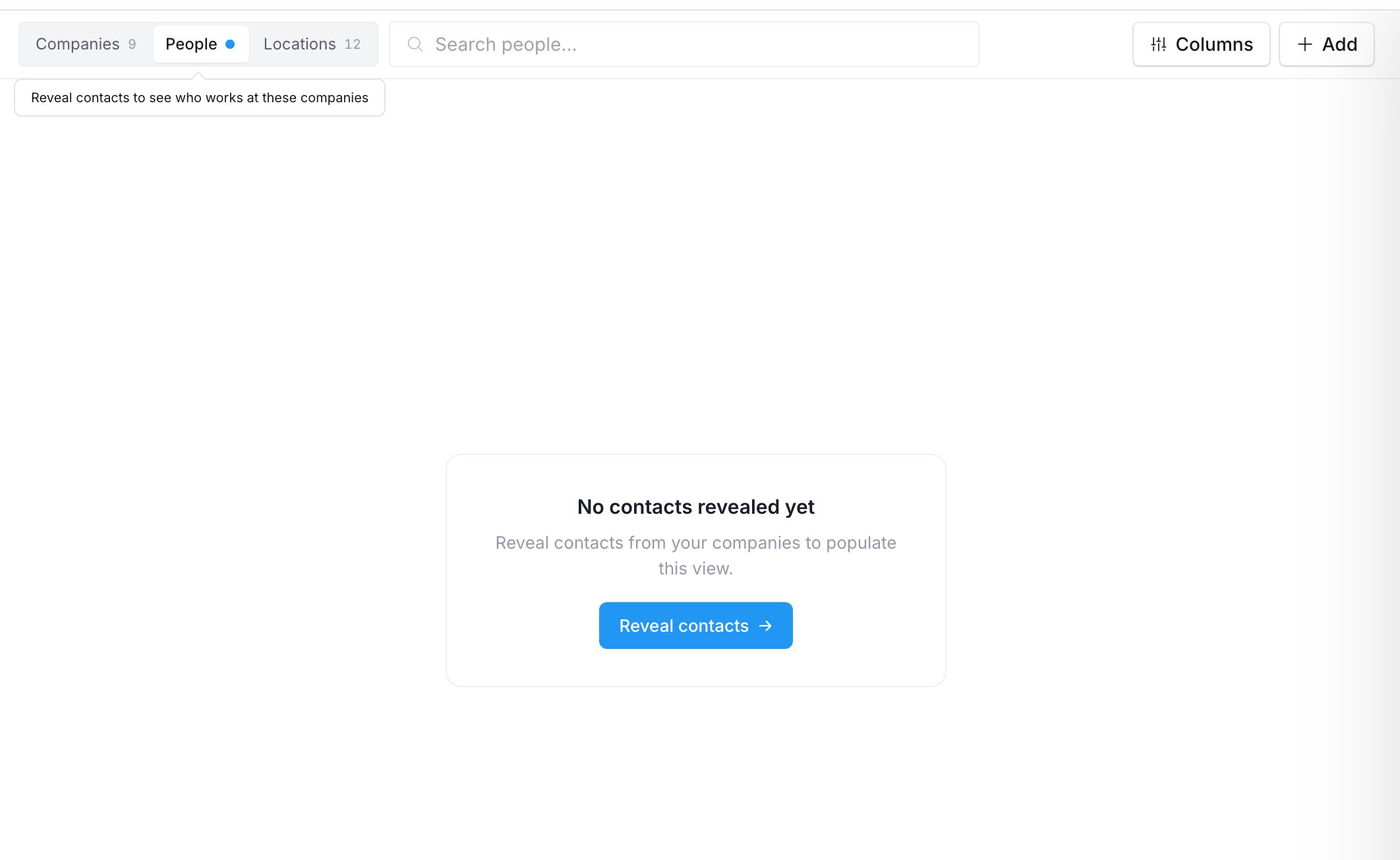
Head to the People tab at the top of the view. Contacts will appear there within a minute or two — no refresh needed. The view updates automatically when results come in.
Frequently Asked Questions
Why don't I see any contacts after revealing?
Results take 1–2 minutes to come back. Check the People tab — it updates automatically. If nothing appears after a few minutes, the lookup may not have found contact data for that company.
Will I be charged if a reveal fails?
No. A failed reveal is recorded and the company becomes eligible to retry. You only consume credits for successful lookups.
Can I reveal companies one at a time?
Yes. Select just one company and click Reveal. The same flow applies.